

Back to PES.edu PES.edu
Browse by Campus
Select a campus to explore its news
Choose a Campus
PESU RR Campus
PESU RR Campus
PESU RR Campus
PESU EC Campus
PESU EC Campus
PESU EC Campus
PESU HN Campus
PESU HN Campus
PESU HN Campus
PESIMSR
PESIMSR
PESIMSR
Amaatra Academy
Amaatra Academy
The Amaatra Academy
PES Public School
PES Public School
PES Public School
PESUIMSR
PESUIMSR
PESUIMSR
Browse by Department
Explore news from every academic department
Choose a Department
Science & Humanities
Browse news →
Computer Science
Browse news →
Biotechnology
Browse news →
Mechanical
Browse news →
Civil
Browse news →
Electronics & Communication
Browse news →
Electrical & Electronics
Browse news →
Computer Application
Browse news →
Management Studies
Browse news →
Architecture
Browse news →
Design
Browse news →
Law
Browse news →
Nursing
Browse news →
Physiotherapy
Browse news →
Allied Health Sciences
Browse news →
Psychology
Browse news →
CS (AI & ML)
Browse news →
Browse by Tags
Find stories by topic and interest
Choose a Tag
Alumni Clubs & Activities Event In The Media Quotes Research Sports Workshop CIE Staff Achievements Student Achievements Dance Motivation Innovative Webinar Technical Admission Music Competition Hackathon Conference Food Industry Visit Startup Talks Codeing Books Reading Cultural SocialActivities

Peer Learning Session: Hands-On Canva Training at PES University

Oct 29, 2025 109 views likes Workshop
Peer Learning Session: Hands-On Canva Training at PES University
Management Studies PESU RR Campus

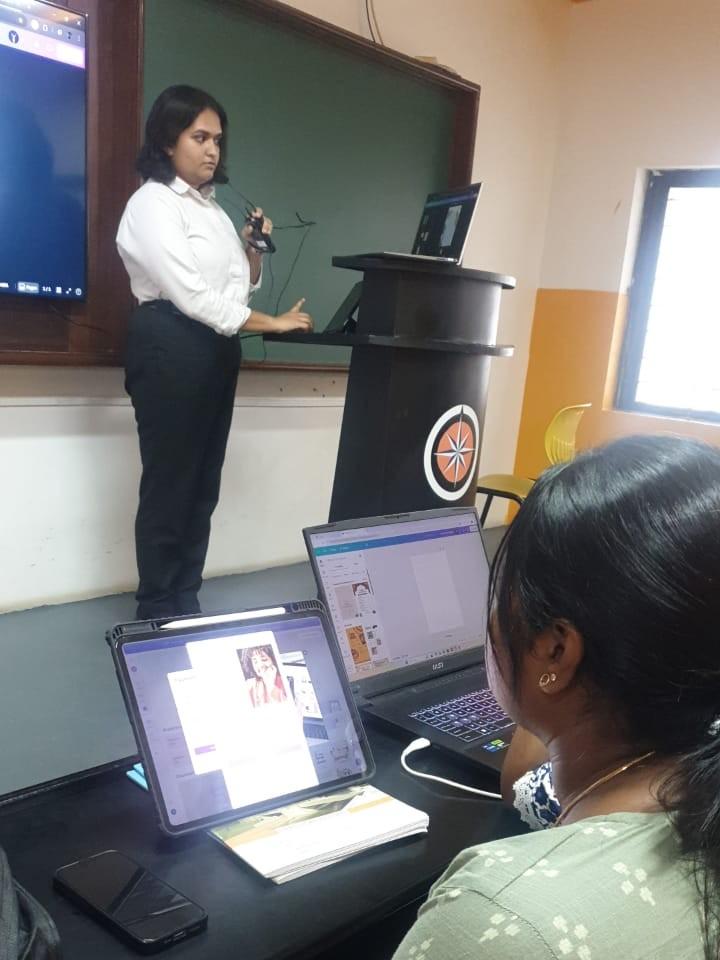
On 24th October 2025, PES University hosted an engaging Peer Learning Initiative focused on hands-on training in Canva, a popular graphic design tool. The session took place at E507, Tech Park, from 3:15 PM to 4:00 PM, and was led by Charmi N Reddy (V Semester).

Event Highlights

  • Introduction & Demonstration: Students were introduced to Canva’s interface and features.
  • Practice Session:
    • Each participant selected a pre-made template and customized it by changing text, colors, and images.
    • Students worked in small groups to create fun posters and flyers collaboratively.


Participation
Attendees: 25 students from I Semester
Organizing Core Member: Charmi N Reddy


Key Learnings
How to find templates and use Canva’s toolbar effectively.
Techniques for customizing pre-designed templates, including font, color, and image adjustments.
Adding multiple pages, grouping elements, and managing design properties.
Choosing the right file format (PNG for web, PDF for print) and downloading designs for different purposes.
This initiative provided students with practical design skills, empowering them to create visually appealing content for academic and professional use.
people liked this

Click the heart to show your appreciation